Live trading analytics, inside your Notion journal.
Connect your journal and embed charts, a P&L calendar and objectives that update on their own. Or import trades from your platform and journal them here.
Free plan · No credit card · Works with your own Notion journal
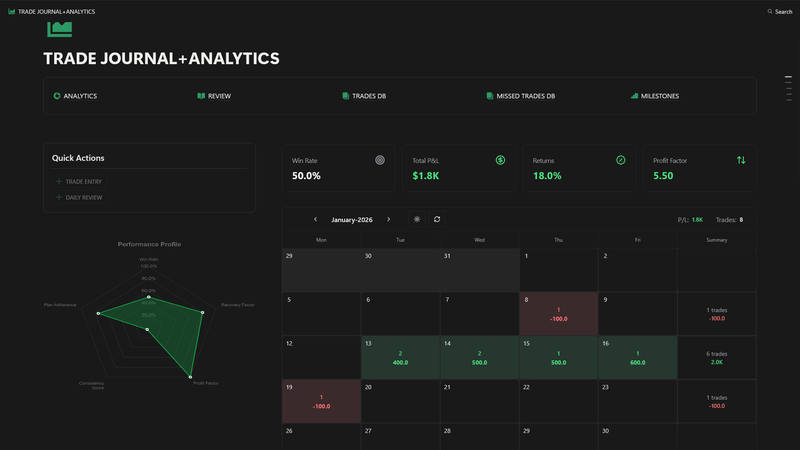
How it works with Notion
Start a journal
Duplicate the free Notion template, or use the trading journal you already have.
Connect Notion
Authorize once and pick the journal FxJournalStats can read.
Pick a preset
Account growth, win rate, P&L by session, the P&L calendar, objectives and more.
Embed
Paste one link into Notion. It stays up to date.
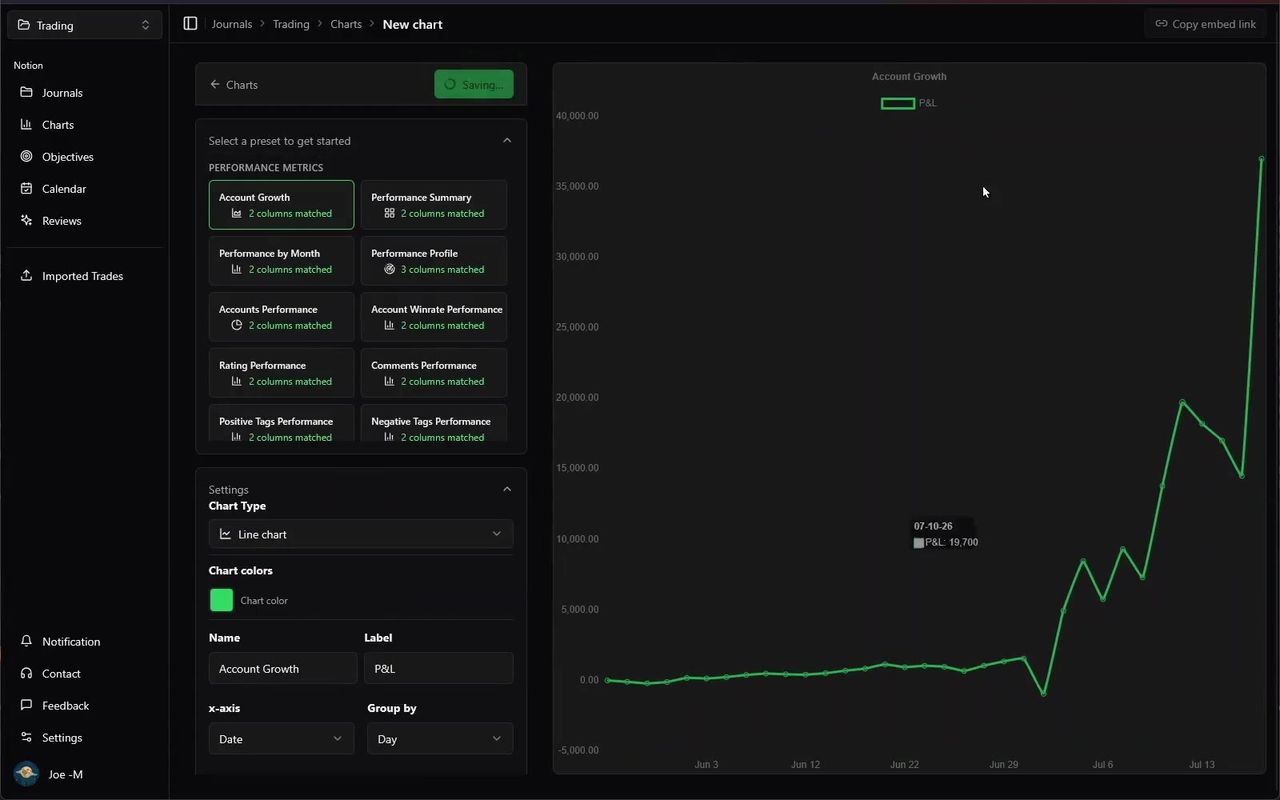
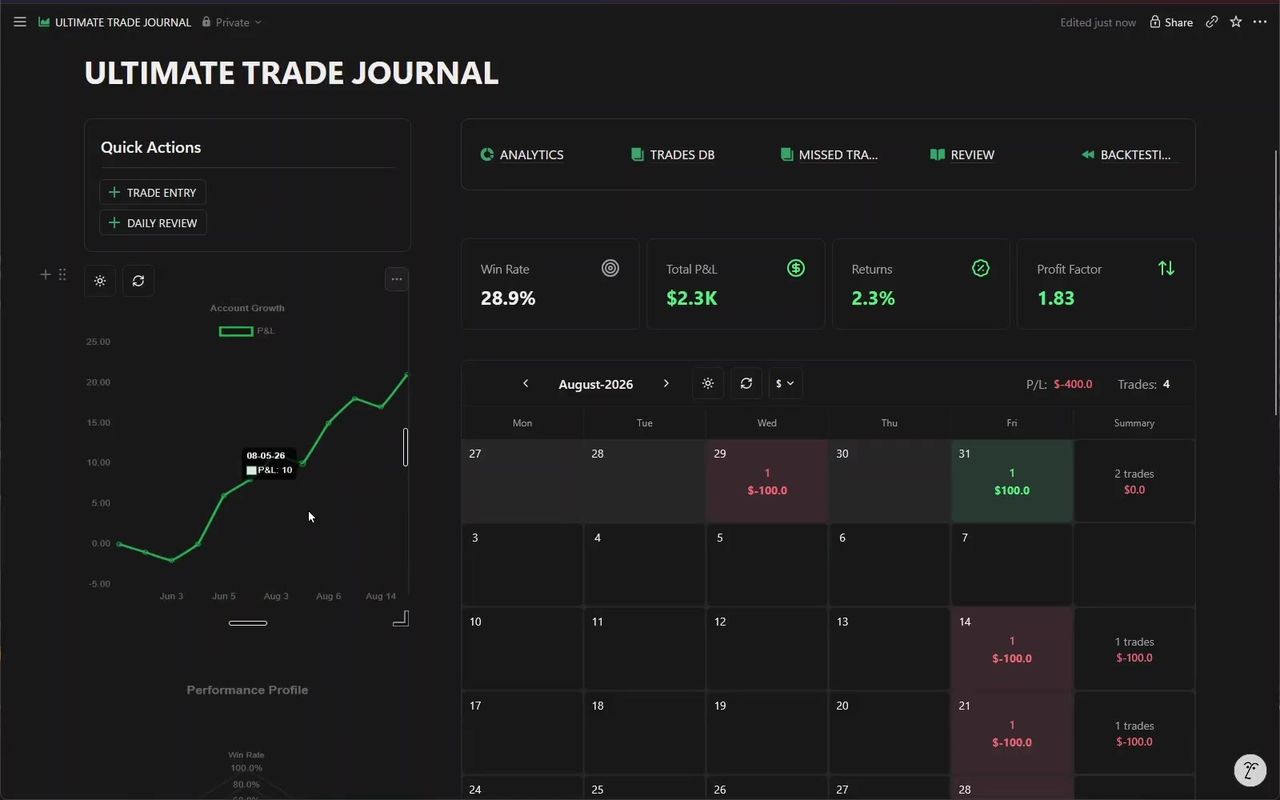
Trading charts from your Notion journal
Pick a preset, point it at your columns, and get a live chart you can embed back into the journal.
- Trading presets — Account growth, win rate, P&L by pair, session and weekday, R-multiple, and more.
- Your columns, your filters — Map any Notion property to the axes, then filter by account, model or tag.
- Live embeds — Every chart has an embed link that updates as you log trades.
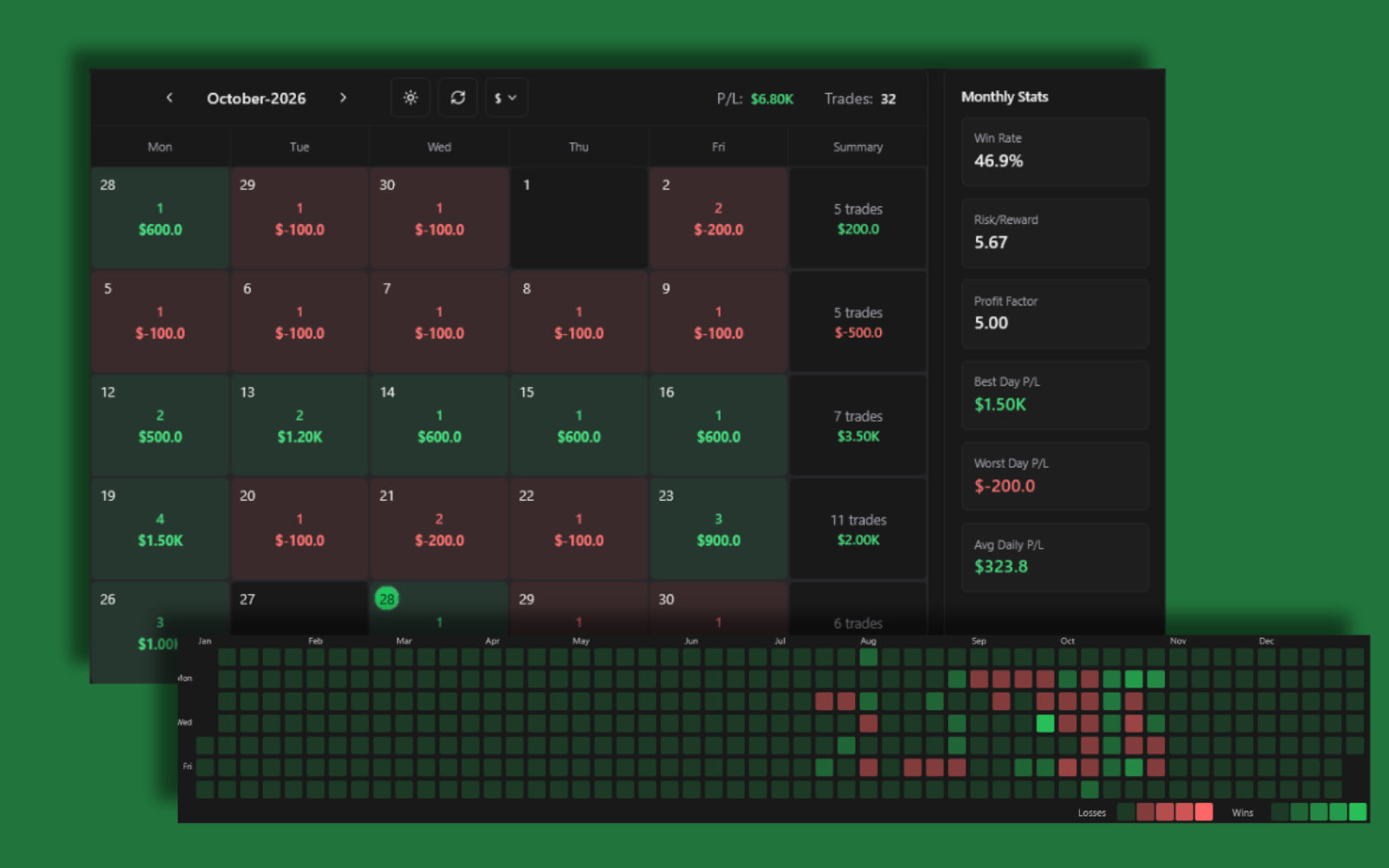
A P&L calendar for your Notion journal
Daily P&L, trade counts and weekly totals on one calendar you can embed in Notion.
- Daily P&L — Green and red days, with the total on each cell.
- Spot streaks and gaps — Overtrading weeks and losing streaks stand out.
- Embeds in Notion — Put the calendar at the top of your journal page.
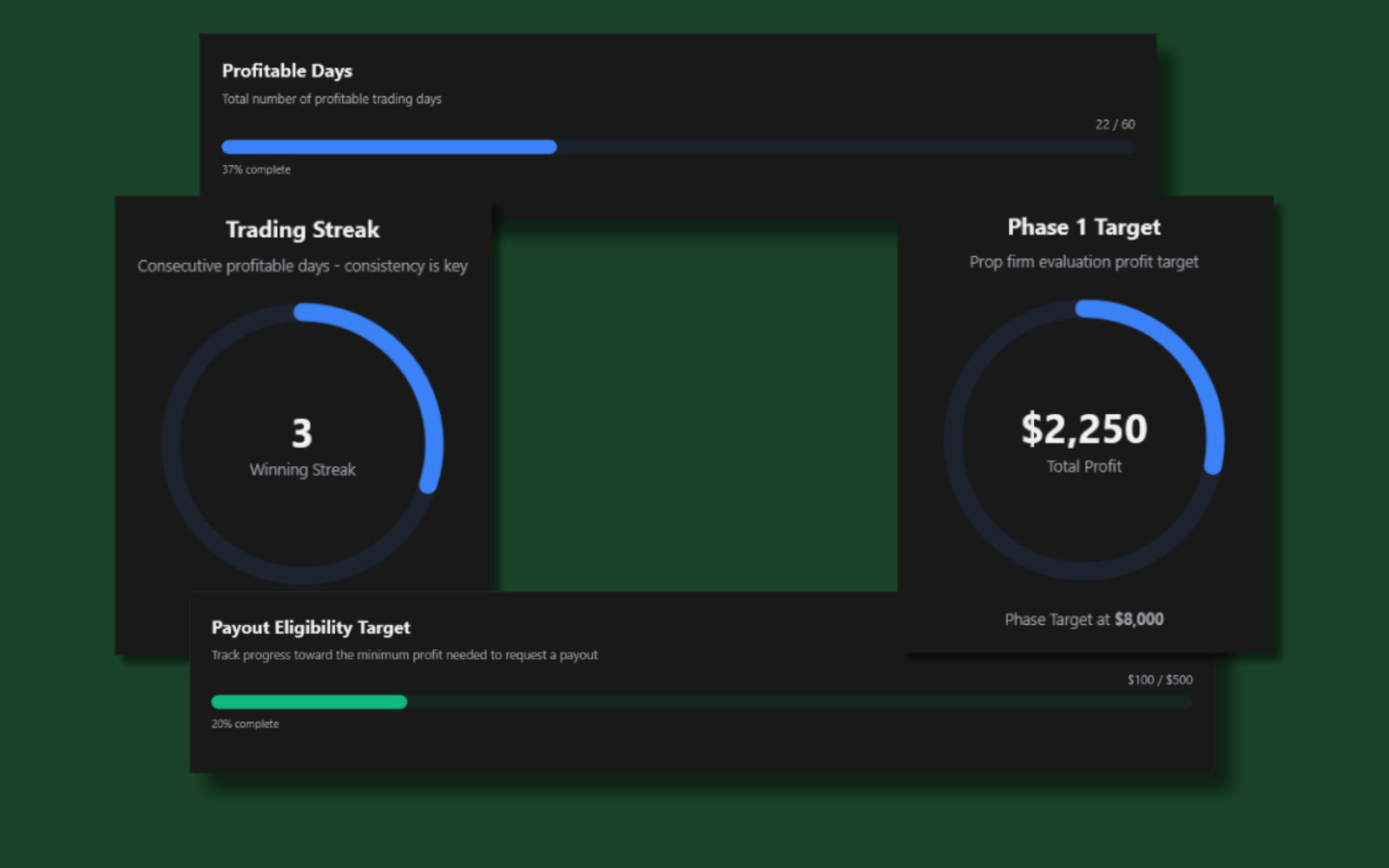
Trading objectives that track themselves
Turn any number in your journal into a target with a progress bar, including your prop-firm rules.
- Prop-firm rules built in — Phase target, payout threshold, daily and max drawdown limits, and minimum trading days.
- Any column, even formulas — Track a Notion number, formula or rollup, shown as a bar or a ring.
- Embeddable — Keep the objective in view on your Notion dashboard.
Live trading analytics inside Notion
Copy one link, type /embed in Notion, and paste. The chart lives in your journal from then on.
Live refresh
Embeds update as you log trades.
Matches your theme
Light and dark, with a toggle inside the embed.
One link
Copy the link, paste it into your journal, and it becomes an embed.
Works on mobile
Check your stats from the Notion app between sessions.
An AI coach review of every trading week
Schedule reviews or generate one for any period. Optionally publish them back to Notion.
- Scheduled or on demand — Weekly, monthly, or any date range you pick.
- Discipline breakdowns — What rule-following trades earned against what mistakes cost.
- Breakdowns by model, session and pair — Plus any custom Notion fields you map.
Verdict
Disciplined week overall — your clean-setup trades carried the account. Two rule-break trades cost $310; tightening entry criteria on Fridays would likely close that gap.
+$2,790
24 trades · 71% WR
-$310
7 trades · 29% WR
Publish imported trades to your Notion journal
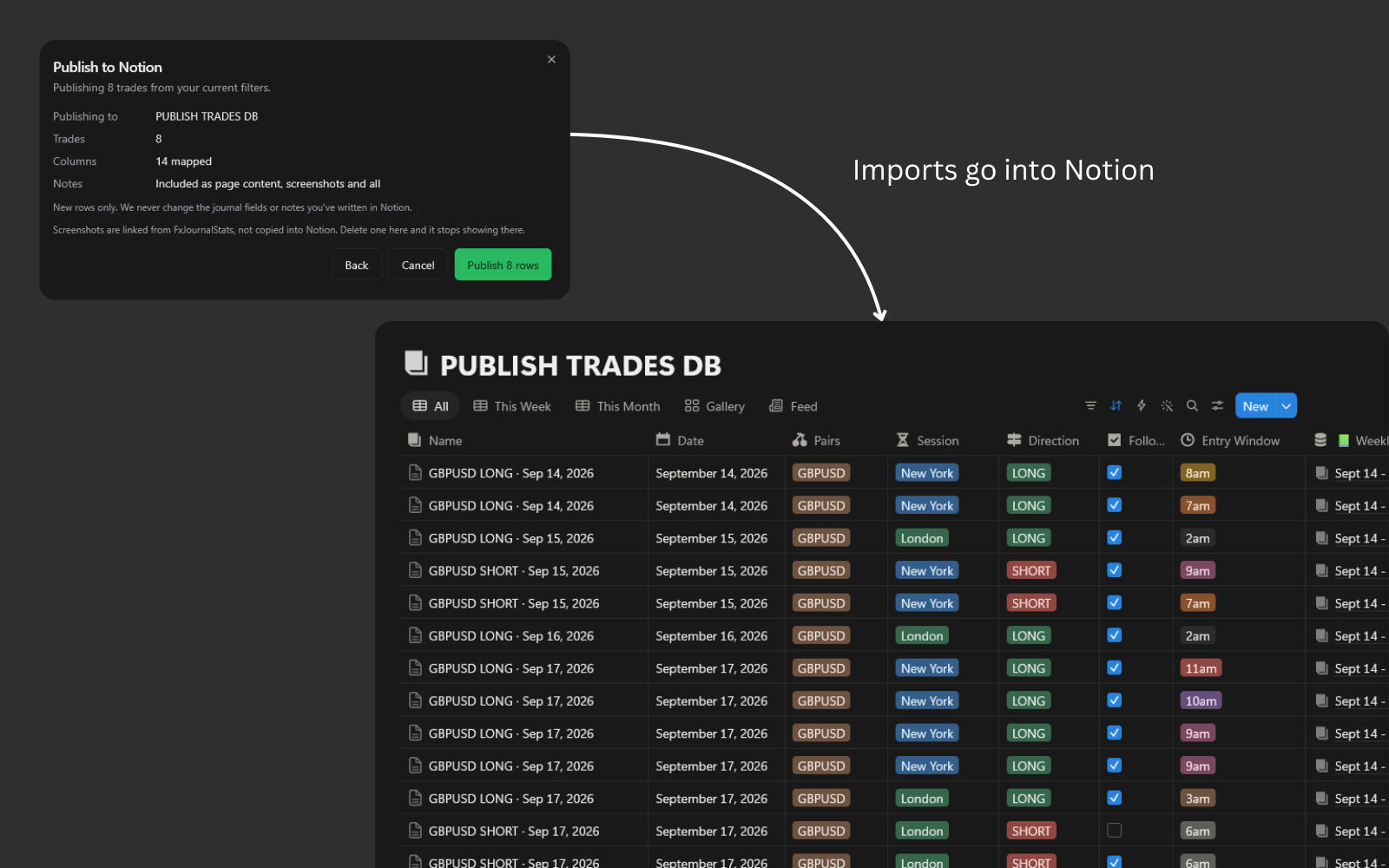
Import from your platform, then publish to your Notion journal in one click. Your charts and calendar pick the trades up from there.
- Map once, then one click — Columns are matched by name, including the free template. Later publishes skip straight to confirm.
- Never a duplicate — Already-published trades are skipped, and merged scale-ins update their existing Notion page instead of adding rows.
- Your Notion edits are safe — Republishing corrects execution data but never overwrites the fields or notes you wrote in Notion.
Or import trades and journal them here
No Notion required. Bring in your trade history from your platform, add the context, and see the numbers.
Export
Download your trade history from your platform, or connect MT5 Auto Sync.
Upload
Drop the file in. Custom CSVs map once and are remembered.
Journal
Add fields, notes and screenshots to each trade.
Review
Equity curve, win rate, drawdown and a P&L calendar.
Import trades from your platform
Upload a platform export, sync MetaTrader 5 automatically, map a custom CSV once, or add trades by hand.
- Supported platforms — MetaTrader 5, Match Trader, TradingView, cTrader, Tradovate, DAS Trader and FxReplay.
- Custom CSV mapping — Map any CSV's columns once; we remember it next time.
- MT5 Auto Sync — Install the EA once and closed MetaTrader 5 trades arrive without exports.









Journal every trade
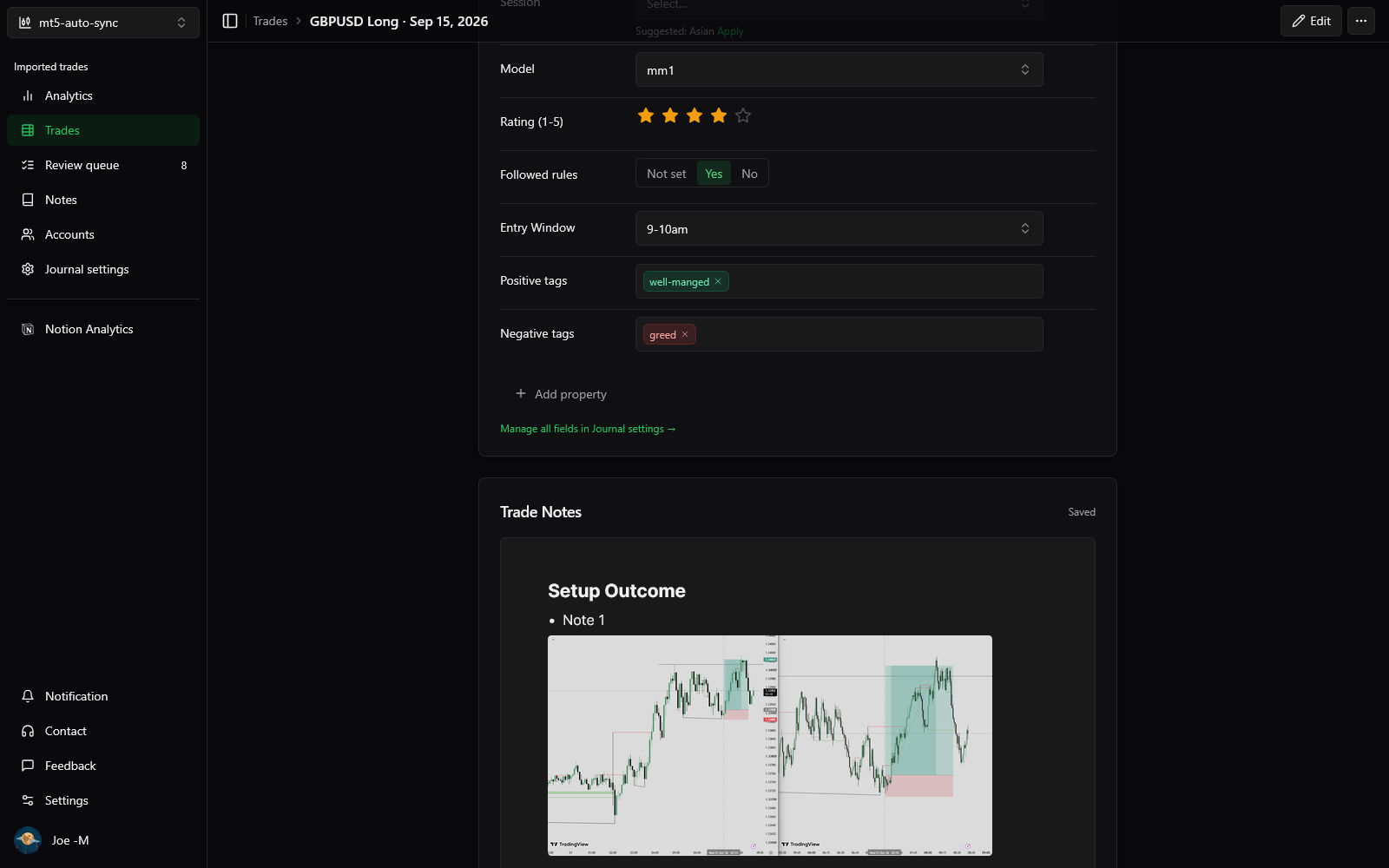
Notion-style fields plus a notes editor with images, on each trade.
- Custom fields — Select, multi-select, number, checkbox and more, per account.
- Notes with images — A block editor with screenshots and attachments.
- Find what's left — Filter to the trades you haven't journaled yet.
Analytics for imported trades
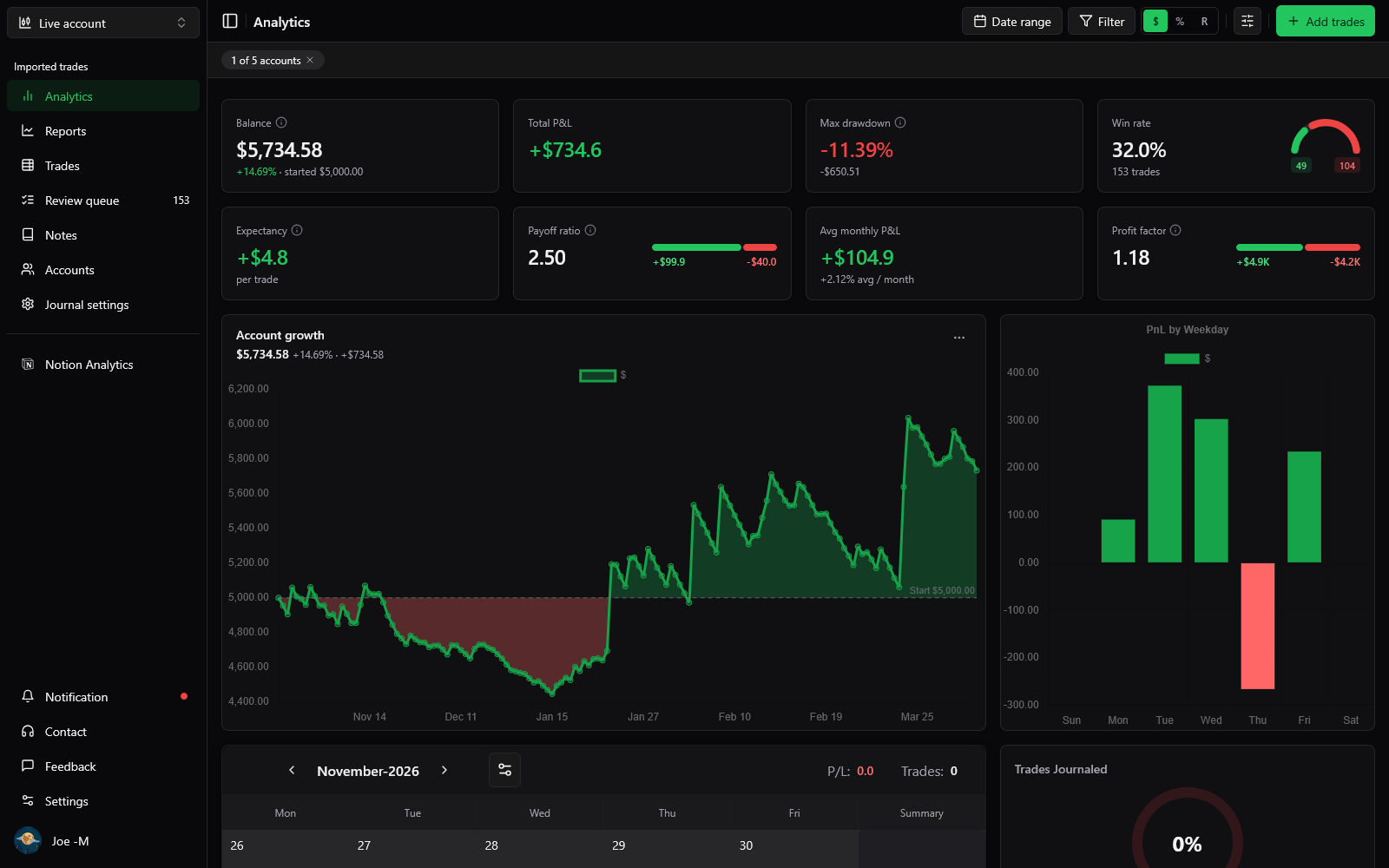
Dashboards for every account, with embeds you can drop into Notion.
- Dashboards per account — Or across all of them.
- Filters — By buy/sell, session, rating, or whether a trade is journaled.
- Embeds — Share analytics into Notion like the Notion pillar's charts.
Built for how you trade
Frequently asked questions
Ready to see your trading in numbers?
Create your free account, connect your Notion journal or import your trades, and start in minutes.