New
Starting Balance, and Your Results in % and R
Your upload journal now knows how big your account is, so you can read your results the way you think about them: in balance, percent and R.
Starting Balance for Upload Accounts #
Set a starting balance on any upload account to see account growth, % returns and drawdown in %. Find it in the account settings, right on the Account growth chart, or in the new Balance column on the Accounts page.
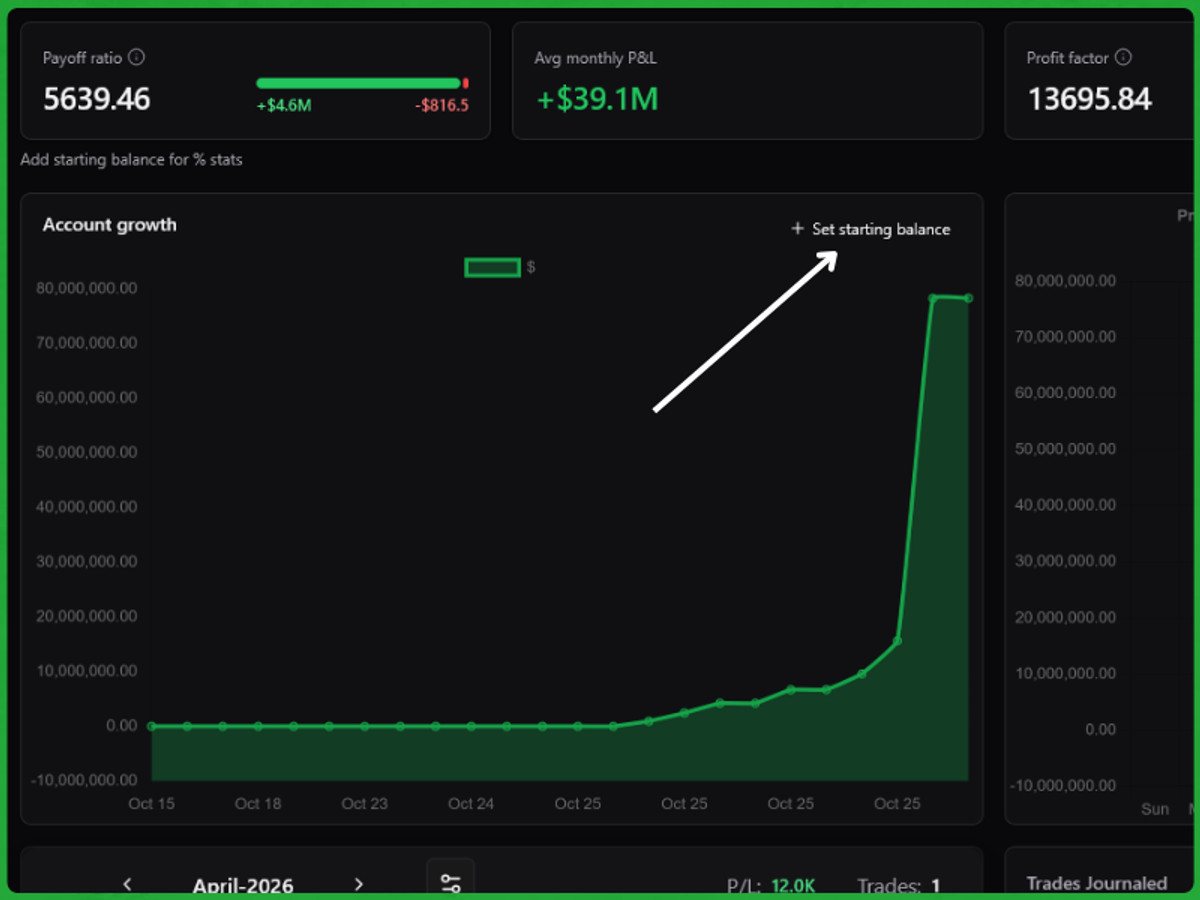
- Account growth (formerly Cumulative P&L) now draws your balance from a dashed start line.
- Drawdown in % of your peak balance, the way prop firms measure it.
- New stat tiles: Balance (with your return), Max drawdown, Expectancy and Payoff ratio. The trade count now sits under Win rate.
Leave the starting balance empty and everything stays in currency, as before. The balance curve assumes no deposits or withdrawals.
Show Everything in $, % or R #
A new $ | % | R switch in the top bar changes every P&L figure on Analytics, the calendar and the Trades table at once:
- % is percent of your starting balance.
- R is P&L divided by your risk per trade. Set a default risk on the account (an amount or a % of your balance). On Pro, add a Risk field to your journal to set it per trade.
Embeds follow the switch too: copy an embed while in % or R and it stays that way.