Notion Charts in R and %
Pick an R column and a starting balance for a journal, and every chart and stat card can show R-multiples or % return instead of currency.
One Setting per Journal #
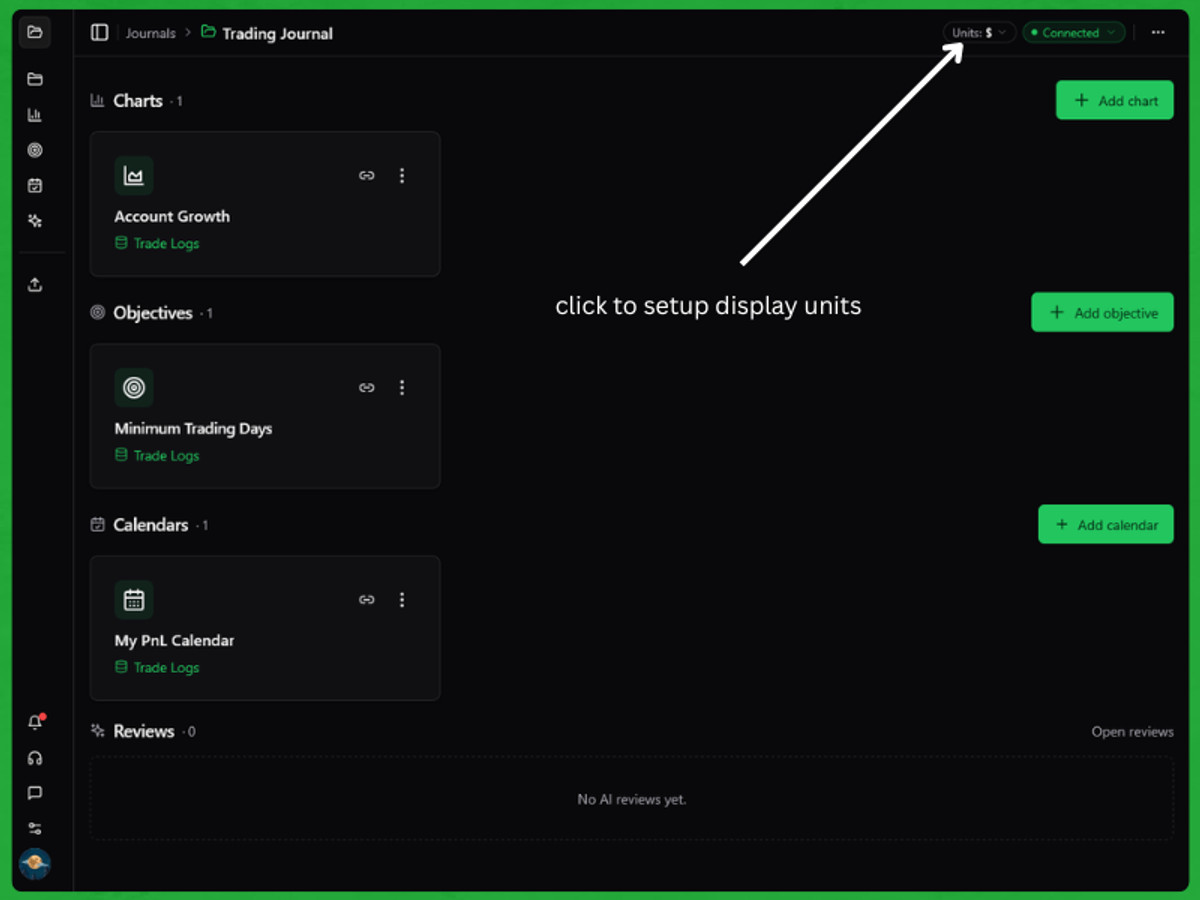
Open a journal and choose Display units from the … menu, or click the Units: $ chip at the top of the page. It sets the unit for all of that journal's charts: $, % or R. Choose the column that holds your P/L, the column that holds your R, and the starting balance % is measured against. The chip always shows the journal's current unit.
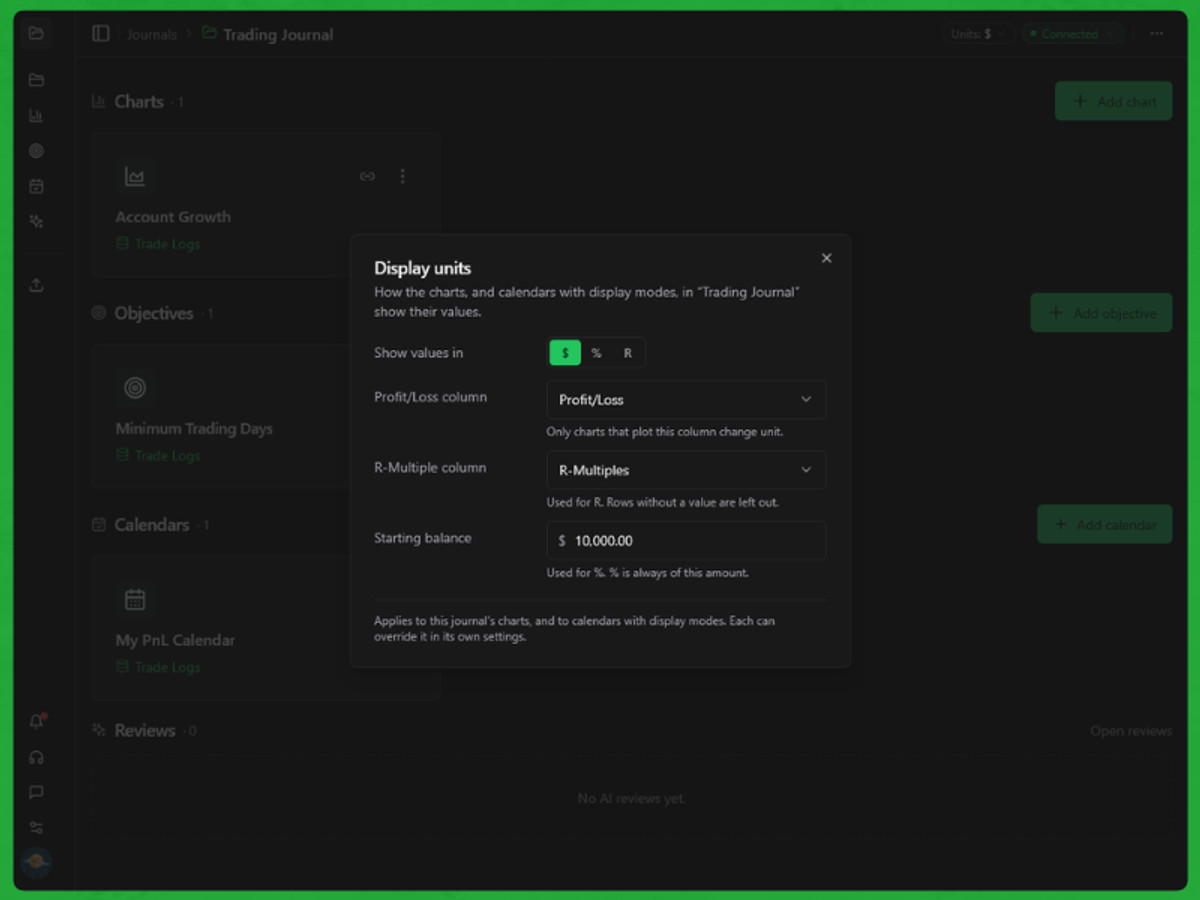
- R reads your R column. Trades without an R value are left out, and the chart says how many it covers.
- % is each trade's P/L divided by your starting balance, so the numbers add up. Drawdown in % is measured from your peak balance.
- Ratios like Win Rate and Profit Factor don't change with the unit.
Override Any Chart #
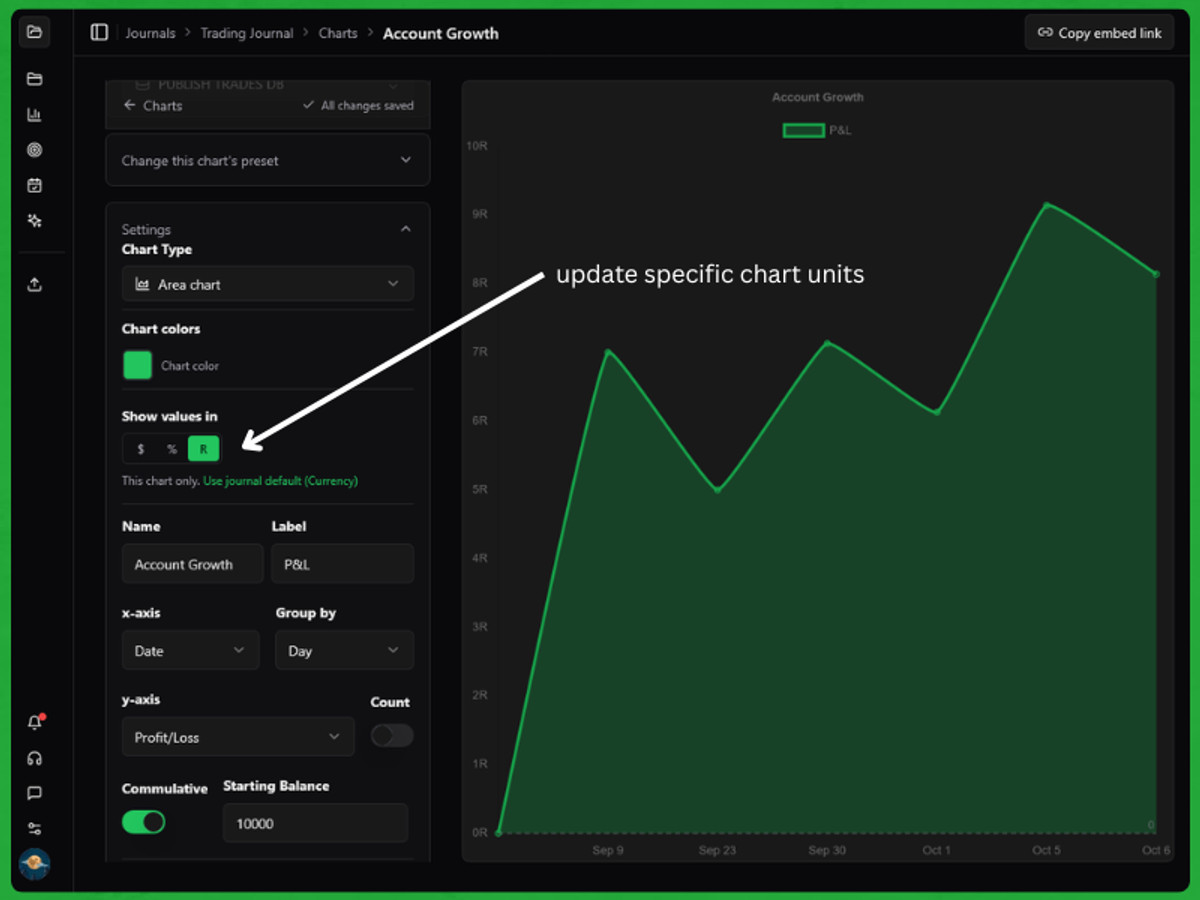
In the chart editor, the Show values in tabs under Chart colors set one chart's unit on its own. Pick the journal's unit again to go back to following the journal. A unit a chart can't use is greyed out, and its tooltip says why. You can also pin an embed with ?display=r or ?display=return on its URL.
The Returns card now always uses your journal's starting balance. In Performance Summary, and any stat cards that include Returns, Total P&L stays in currency under % so the two cards don't repeat each other.