This message appears when Fxjournalstats can’t access the Notion database that a chart, objective, or calendar card is linked to. The most common causes are:
- The database was deleted or moved to Trash in Notion.
- The database/page was disconnected from the Fxjournalstats integration (so the integration no longer has permission).

How to fix it #
1) Edit the card and select a database #
In Fxjournalstats, click the Edit button on the chart, objective, or calendar card. Select the correct Notion database from the database dropdown, then save the card.
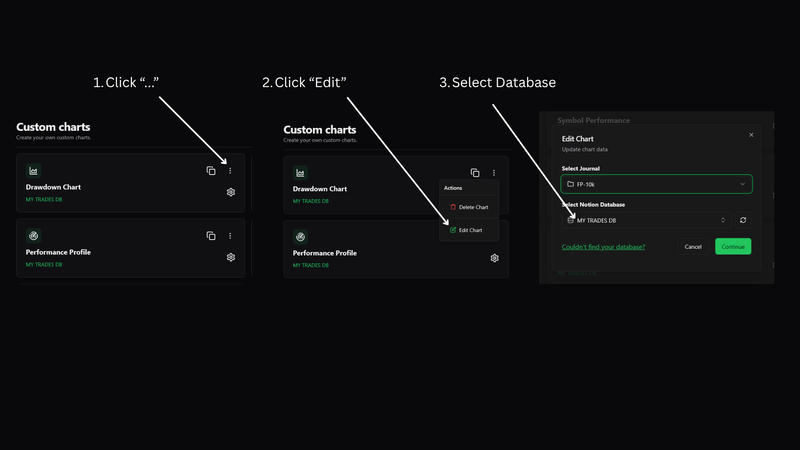
If the dropdown does not show any database options, Fxjournalstats does not currently have access to a database you can select. Use the Notion fixes below, then come back and select the database again.
2) Reconnect the integration in Notion #
Open Notion and navigate to the database (or the page that contains it). Click ... (top right) → Connections → connect Stats.

Read this guide for more ways to fix this.
If you still don’t see the database in the dropdown #
- Make sure the database is not in Trash in Notion.
- Re-check Connections on the database page (the integration must be connected to the page/database you’re using).
- If the original database was deleted, restore it or create a new one, then link it from the card settings (or create a new chart/objective/calendar pointing to a different database).