New
Monthly Calendar Stats Panel
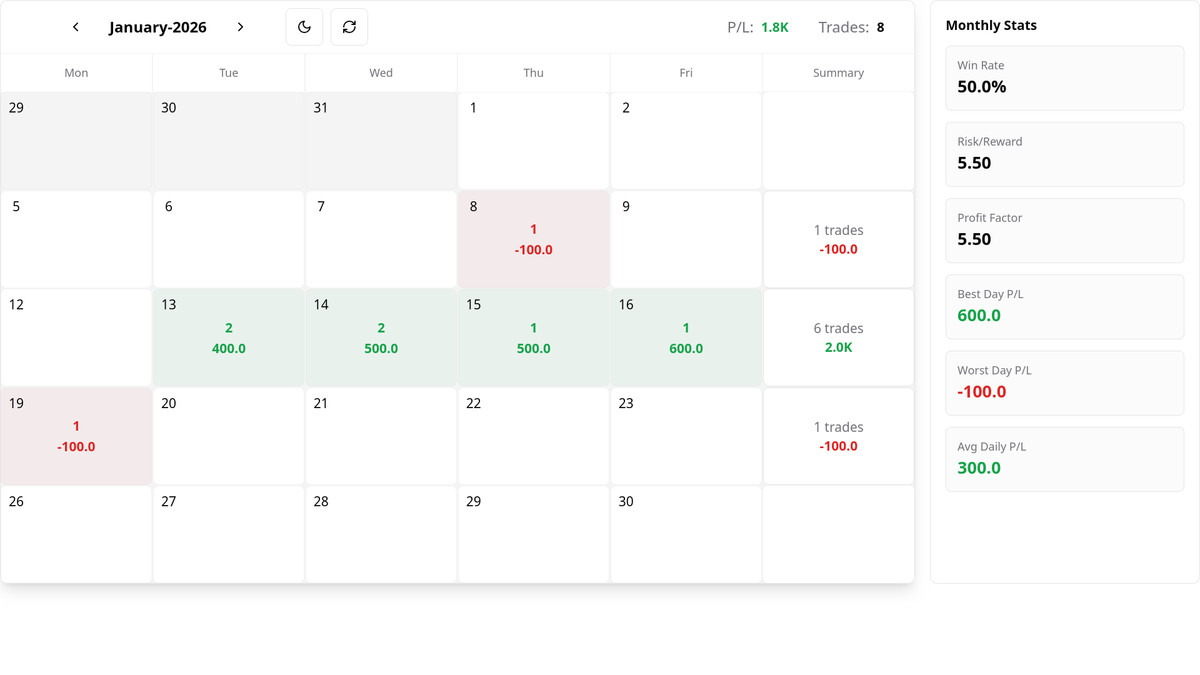
You can now see a monthly stats panel next to your calendar.
What the stats show #
The panel shows six metrics for the current month (the month you’re viewing in the calendar):
- Win rate — Percentage of profitable trades (wins ÷ total trades × 100).
- Best day P/L — Highest single-day profit/loss in the month.
- Worst day P/L — Lowest single-day profit/loss in the month.
- Avg daily P/L — Total month P/L divided by number of trading days.
- Profit factor — Total profit from winning trades ÷ total loss from losing trades.
- Risk/Reward — Average win size ÷ average loss size (per trade).
Stats use your calendar’s label and decimal settings, and are based on individual trades when we have trade-level data.
How to turn the panel on or off #
For one calendar #
- Go to Settings and open the calendar you want (e.g. Dashboard → Settings → [Calendar name]).
- In that calendar’s settings, find Show Monthly Stats.
- Turn the switch on to show the panel next to that calendar, or off to hide it.
For all new calendars (default) #
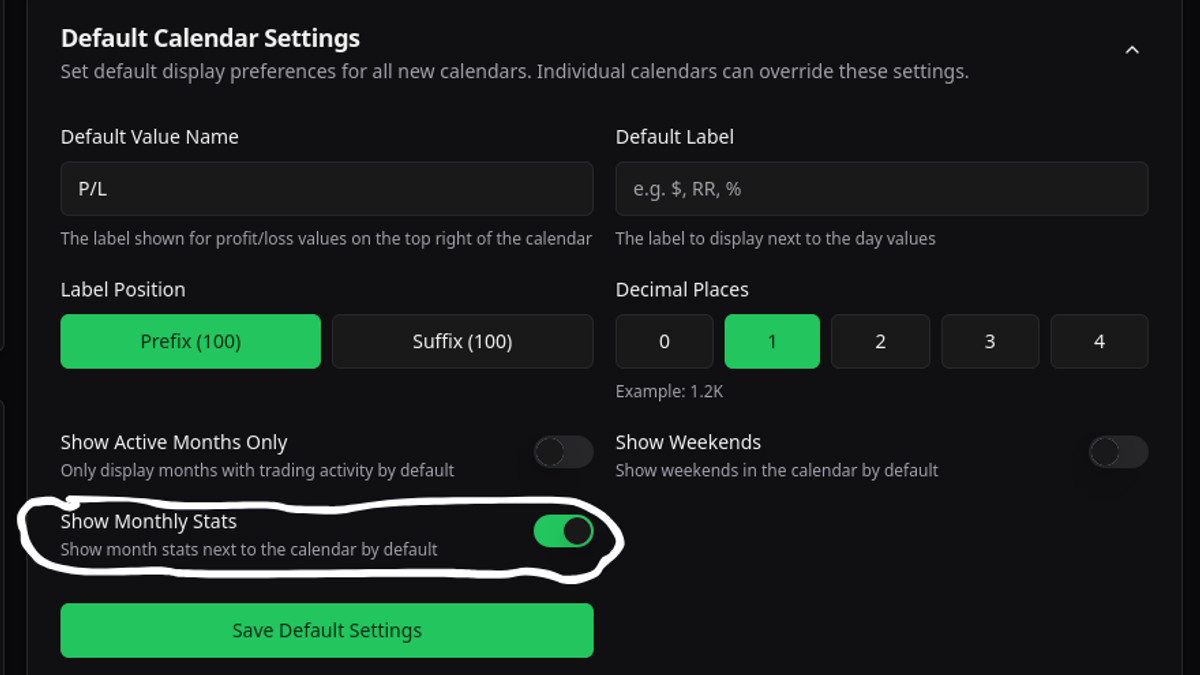
- Go to Settings and open Default Calendar Settings.
- Find Show Monthly Stats and turn it on or off.
- Save. New calendars will use this default; existing calendars keep their own setting until you change them.
The panel appears to the right of the calendar on larger screens and below on smaller ones. If you don’t see it, make sure Show Monthly Stats is enabled for that calendar or in your defaults.