New
Calendar Display Modes: $ / R / % Gain
Your calendars can now show three different value modes and let you switch between them — on the dashboard and inside your embedded Notion views.
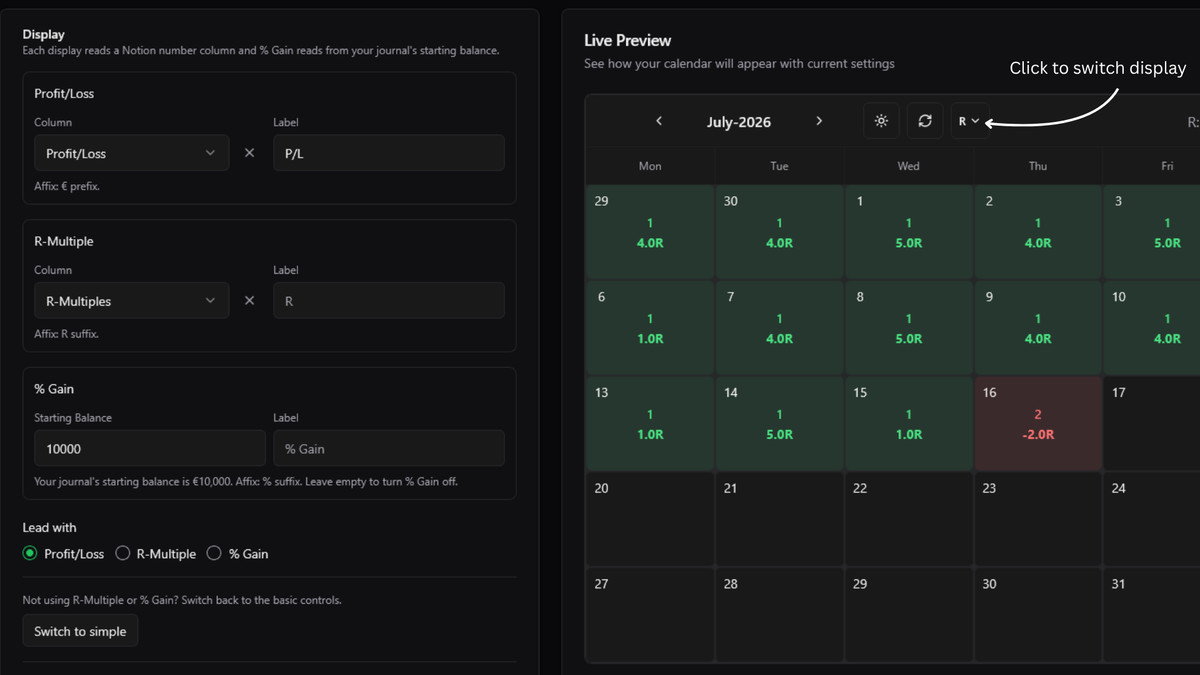
The Three Modes #
- Profit/Loss — your currency P/L, exactly as before (
$,£, …). - R-Multiple — point this at a second Notion number column (your R multiple column) and the calendar totals it in
R. - % Gain — your P/L as a percentage of your starting balance.
Every day cell, weekly total and the Monthly Stats panel follow whichever mode is active.
How to Turn It On #
-
Open a calendar's Settings.
-
Click Enable display modes (new calendars already have it on).
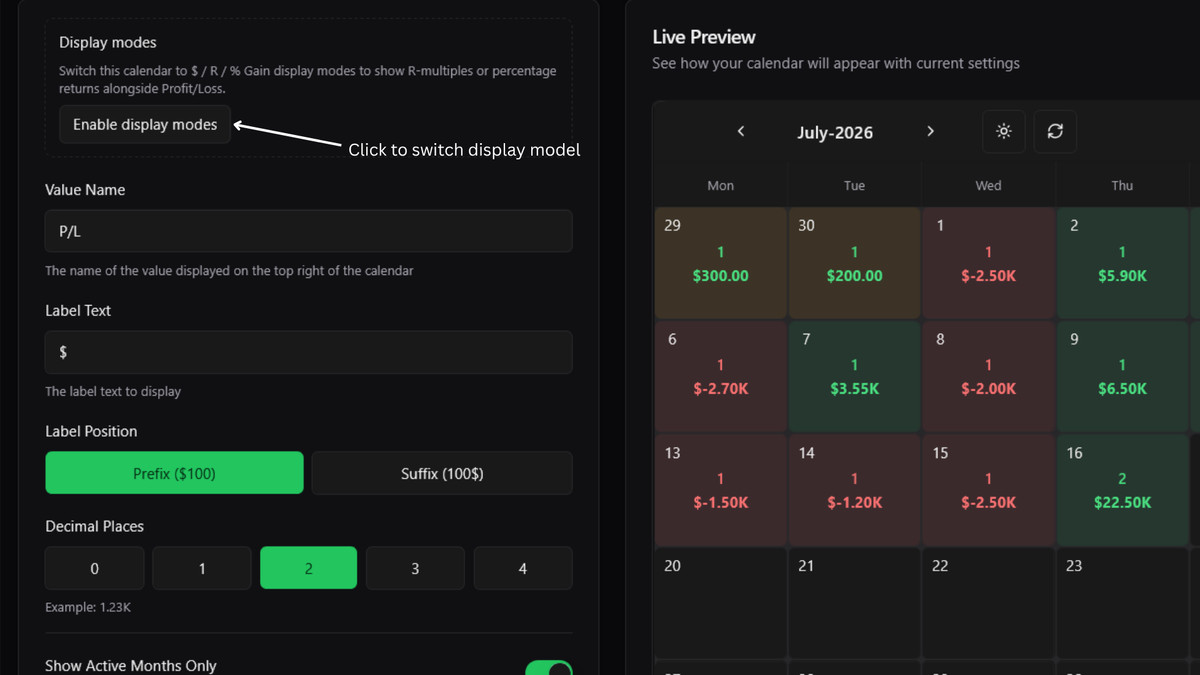
-
In the Display section, choose your R-Multiple column and/or a % Gain starting balance — it's pre-filled from your journal's starting balance, and you can change or clear it.
-
Use Lead with to pick which mode the calendar opens on.
-
Prefer the classic single-value calendar? Switch to Simple switches back any time — nothing you've configured will be lost.